Configure your AI provider and API key
Connect your own supported model provider in existing settings.
Adapted from KOKORA's existing creation guides
The KOKORA Windows app currently uses Chinese. These are real Chinese UI captures; earlier versions are labeled. Click an image to enlarge it.
Before you start
Choose a supported provider and model. KOKORA is free; API fees are charged by the model provider.
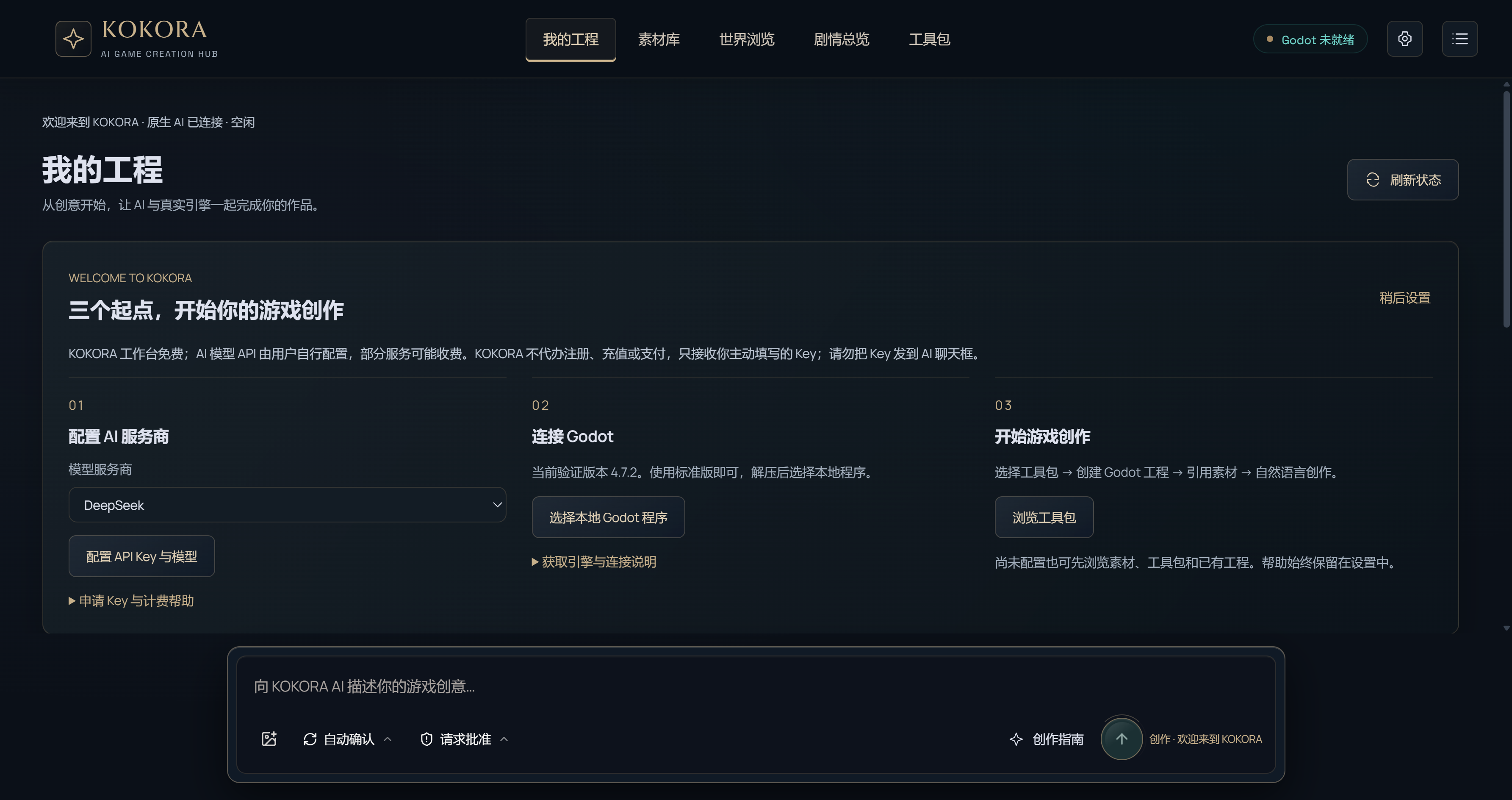 Enlarge ↗
What to do next
Open Settings → AI models. Select a provider, enter your key in the secure field and save. Never send a key through chat. A saved credential status is not proof of a successful paid request.
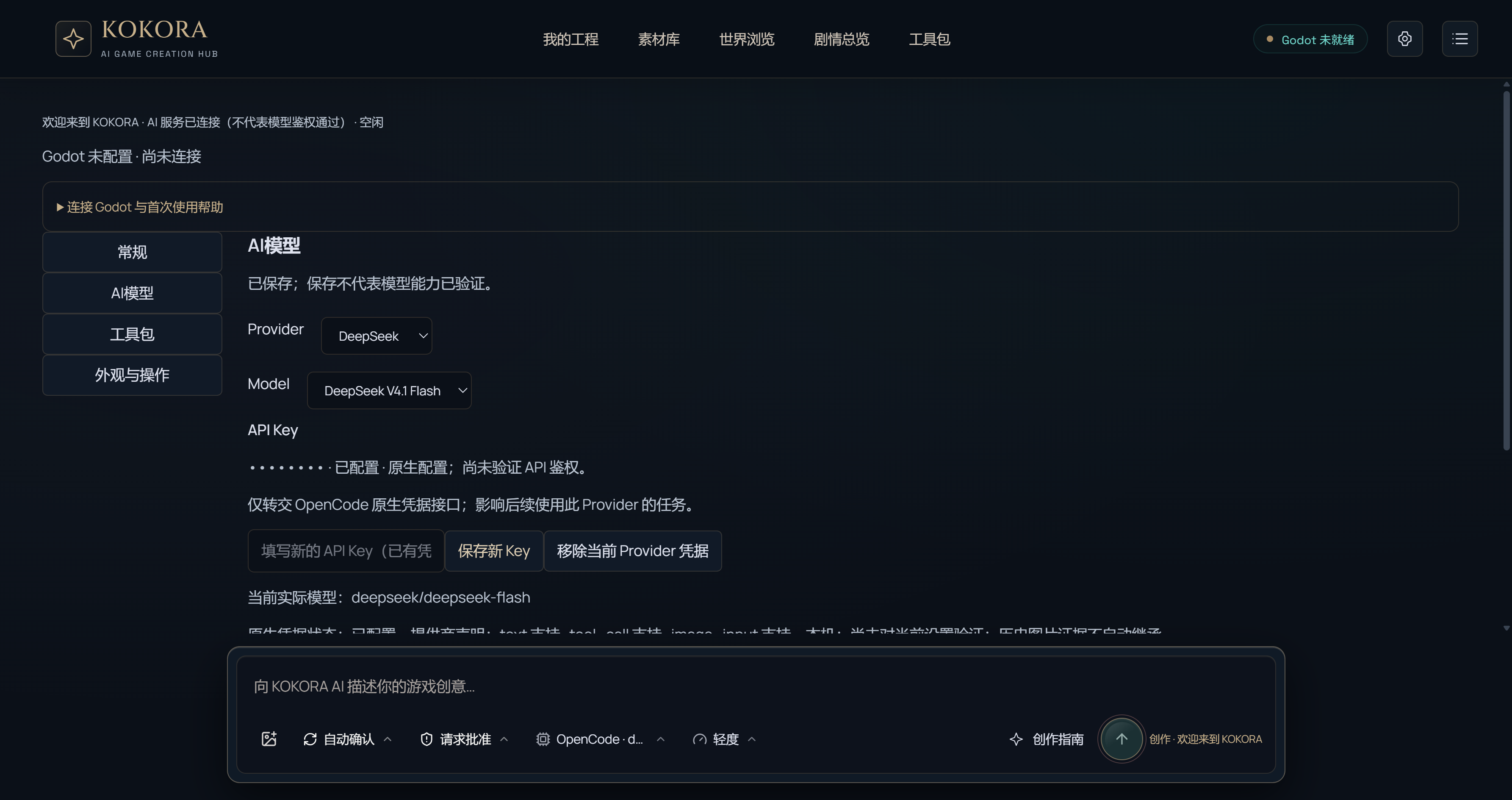 Enlarge ↗
Next step
After setup, start with your own isolated test project.
How to verify the result
Check the selected provider's credential state and confirm settings survive reopening. Check the official balance page if quota is exhausted; do not automatically retry charged requests.
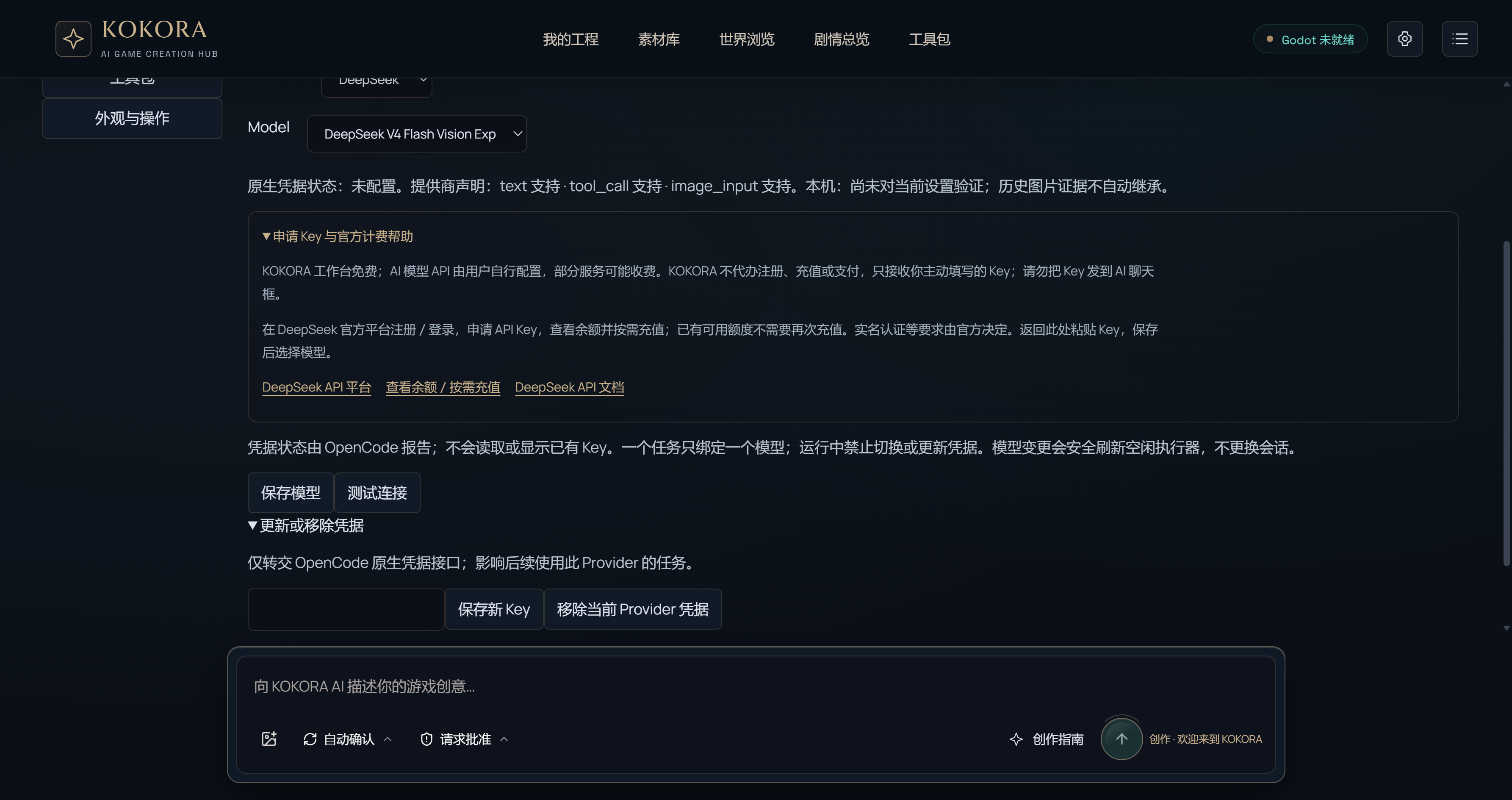 Enlarge ↗
Official Resources
ChatGPT subscriptions and OpenAI API usage are billed separately. KOKORA does not provide free OpenAI API credit. Registration, billing and regional availability are determined by the official platform. No top-up is required if you already have usable credit.
Note
Start with a new test game to protect existing work. Check what is in the asset pack, what has been imported and what is actually used in the game. Review after saving and playtest when possible.